Amazon A+ Studio Extension Download for Chrome & Firefox
Download Amazon A+ Studio for Chrome or Firefox and turn live Amazon product pages into an evidence-led workspace for listing analysis, A+ Content planning, image briefs, asset organization, and mobile compliance checks.
Amazon A+ Studio is designed for Amazon sellers, listing operators, ecommerce designers, and agencies that want a repeatable workflow from competitor research to a production-ready A+ storyboard. It is an independent tool and is not affiliated with or endorsed by Amazon.
Amazon A+ Studio download
| Browser | Package | Version | File size |
|---|---|---|---|
| Google Chrome | A-plus-Studio-extension-2026-08-21.zip | 0.1.0 | 149,378 bytes |
| Mozilla Firefox 109+ | Amazon-A-Plus-Studio-firefox-0.1.0.zip | 0.1.0 | 149,338 bytes |
What does Amazon A+ Studio do?
The extension captures the visible evidence on a supported Amazon product-detail page and organizes it into a guided production workflow. Instead of starting with generic copy or random image prompts, teams can examine the product facts, buyer questions, proof points, claims, visual patterns, and mobile risks first.
- Amazon listing capture: detect the marketplace and ASIN, then collect product facts, gallery images, bullets, and visible A+ modules.
- Evidence-led analysis: identify buyer questions, proof gaps, unsupported claims, and the next best actions.
- Competitor comparison: compare reference listings without copying another brand’s protected creative assets.
- Visual DNA extraction: organize reusable direction for composition, color, typography, photography, and visual hierarchy.
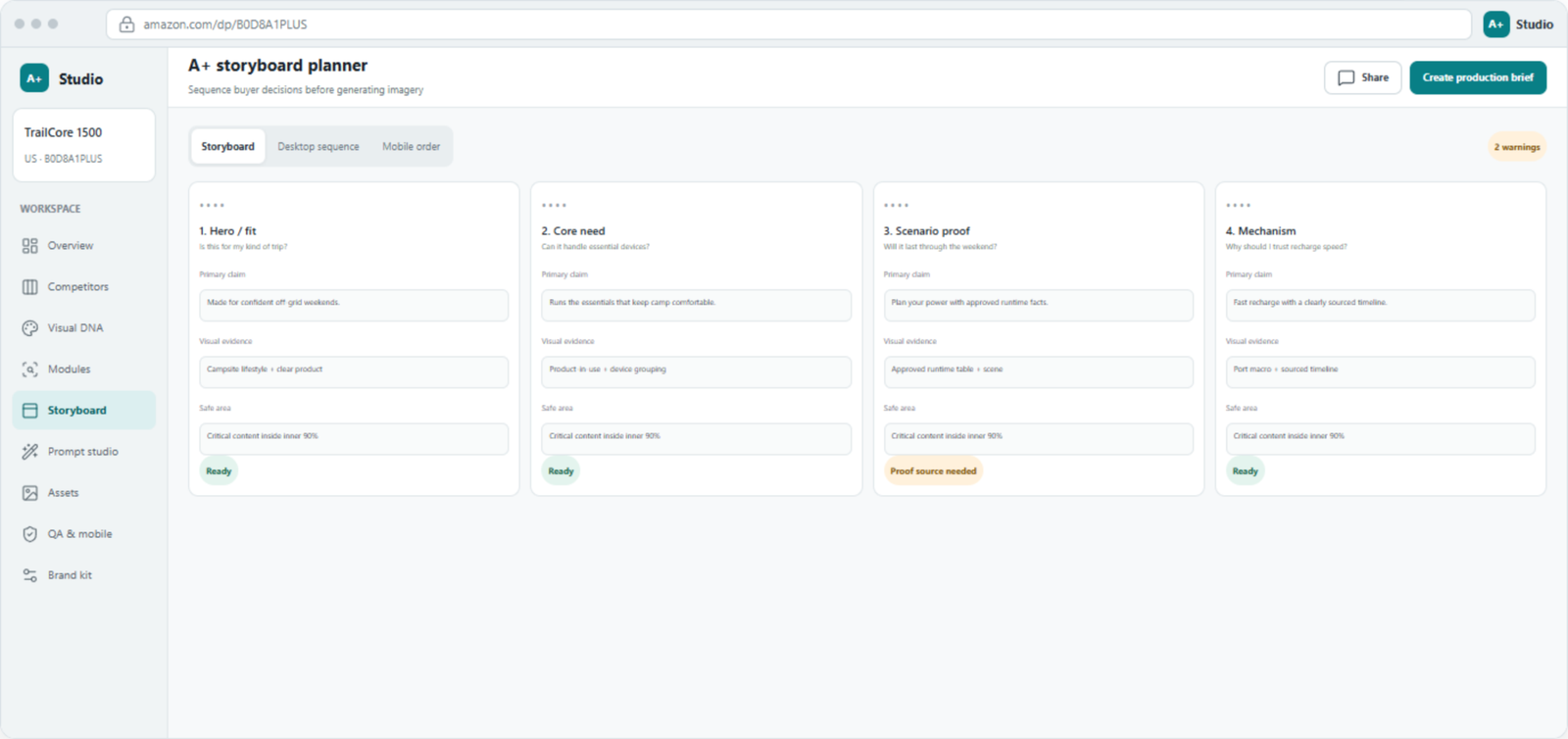
- A+ module planning: convert evidence into a buyer-decision sequence and an editable module storyboard.
- Prompt Studio: prepare approved, product-grounded scene briefs for image generation or image editing.
- Asset library: keep reference images, outputs, claims, and production files organized by project.
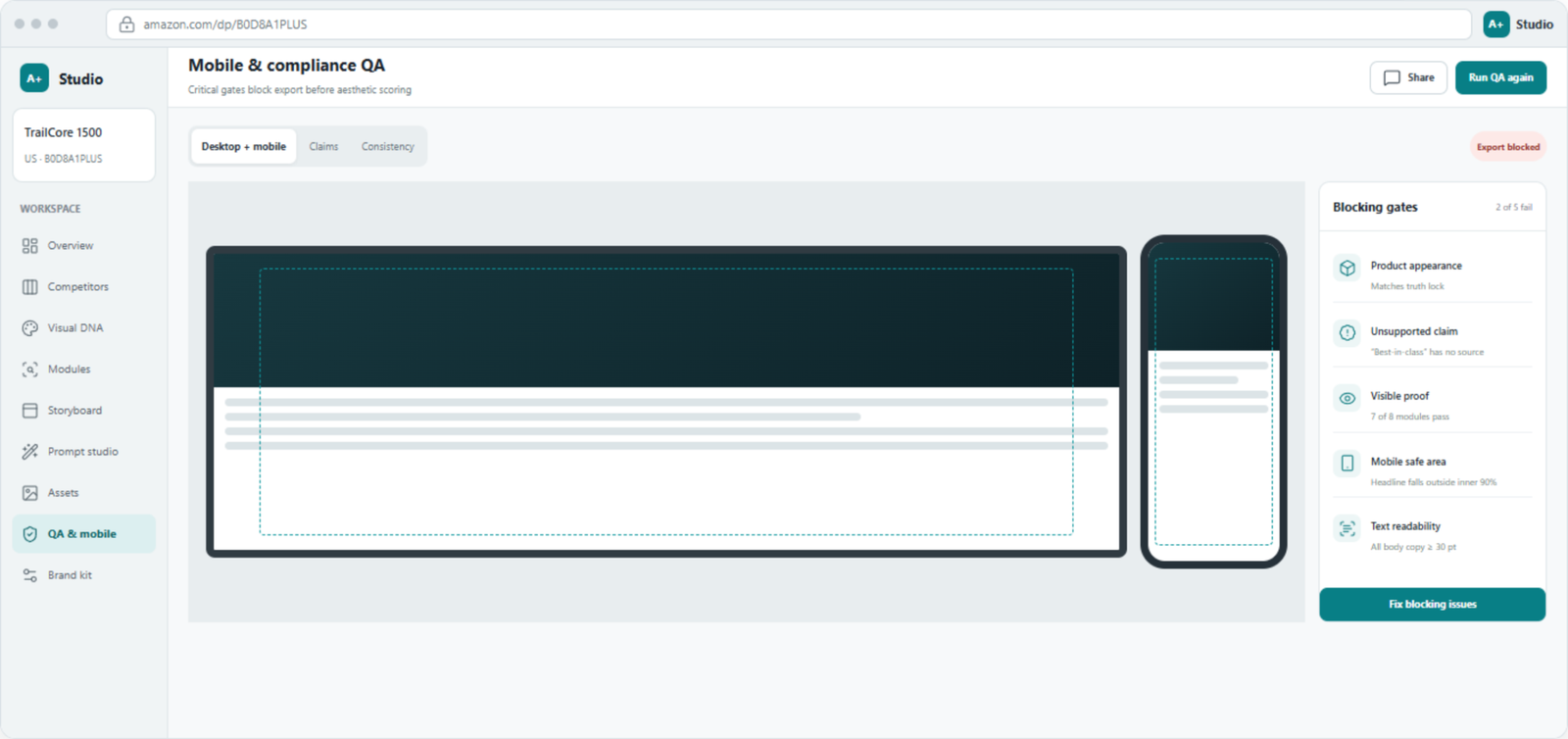
- Mobile and claim QA: flag product drift, unsafe claims, weak mobile crops, and readability problems before export.
- Bring your own AI provider: connect an OpenAI or OpenAI-compatible endpoint using your own API key.
How to use Amazon A+ Studio
- Install the Chrome or Firefox package using the browser-specific instructions below.
- Open a supported Amazon product-detail page.
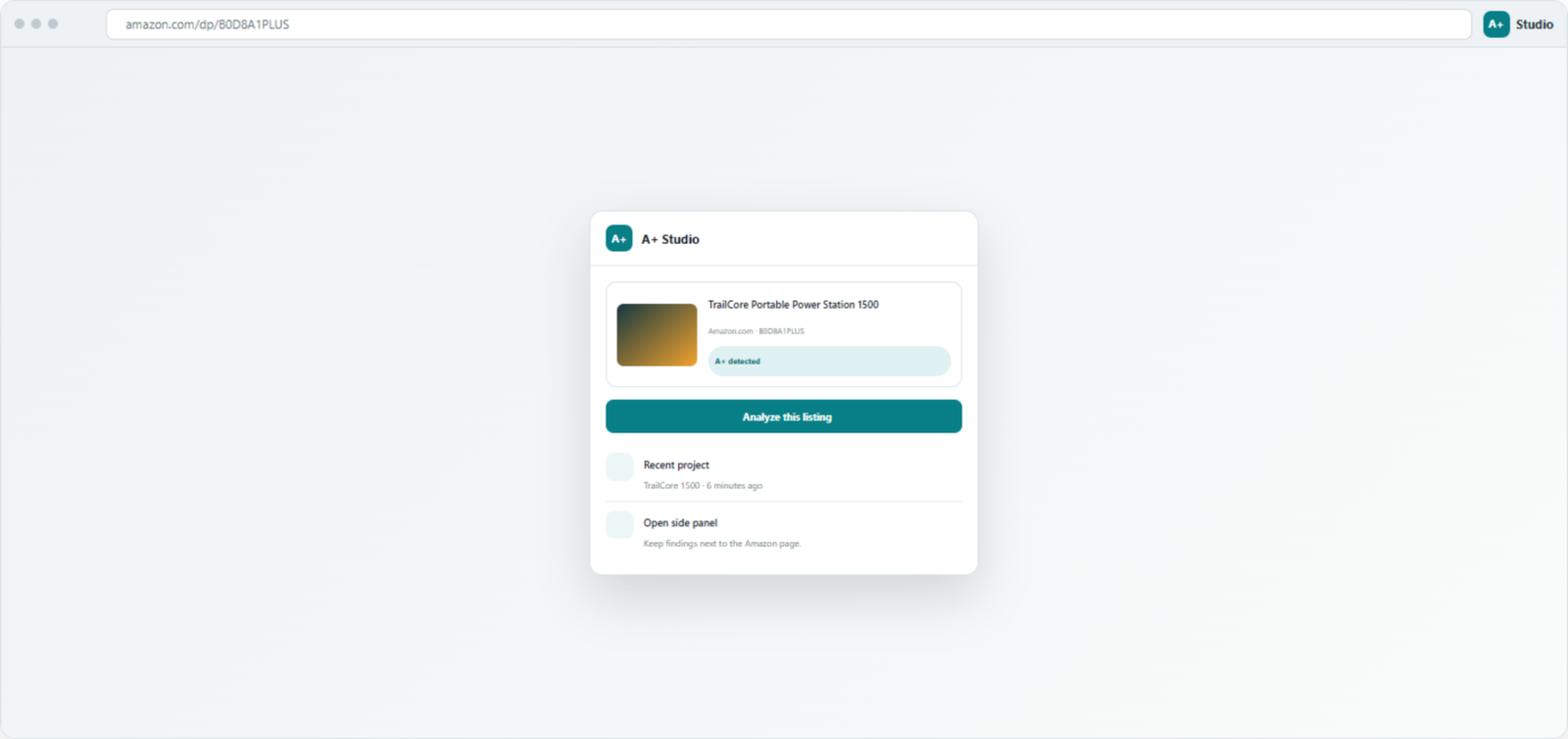
- Click the A+ Studio toolbar icon and confirm the detected marketplace and ASIN.
- Select Analyze this listing to capture product facts, images, bullets, and visible A+ modules.
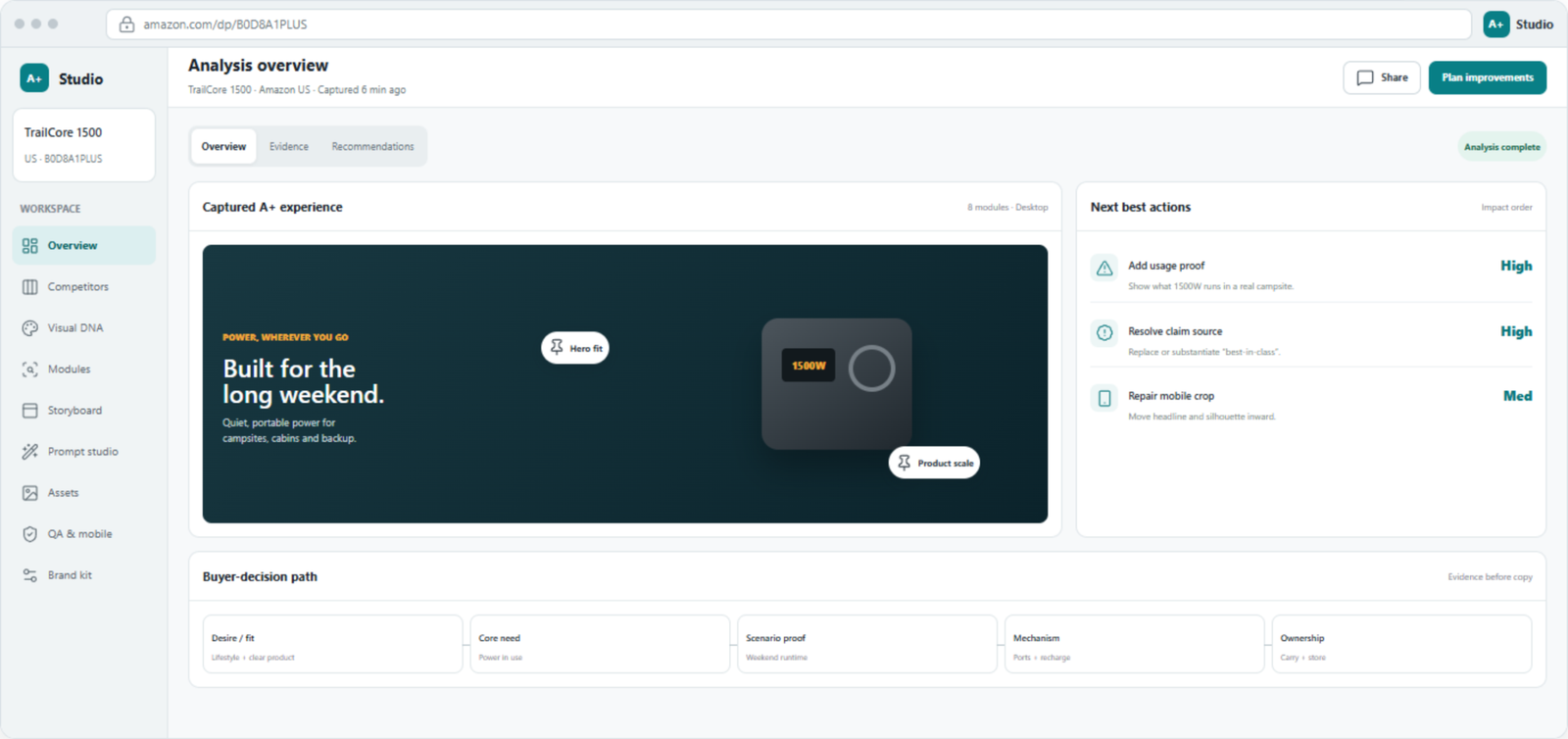
- Review Overview, Competitors, Visual DNA, and Modules before making creative decisions.
- Build the buyer-decision sequence in Storyboard, then prepare approved briefs in Prompt Studio.
- Organize outputs in Assets and run QA & mobile before final export.
Install Amazon A+ Studio in Google Chrome
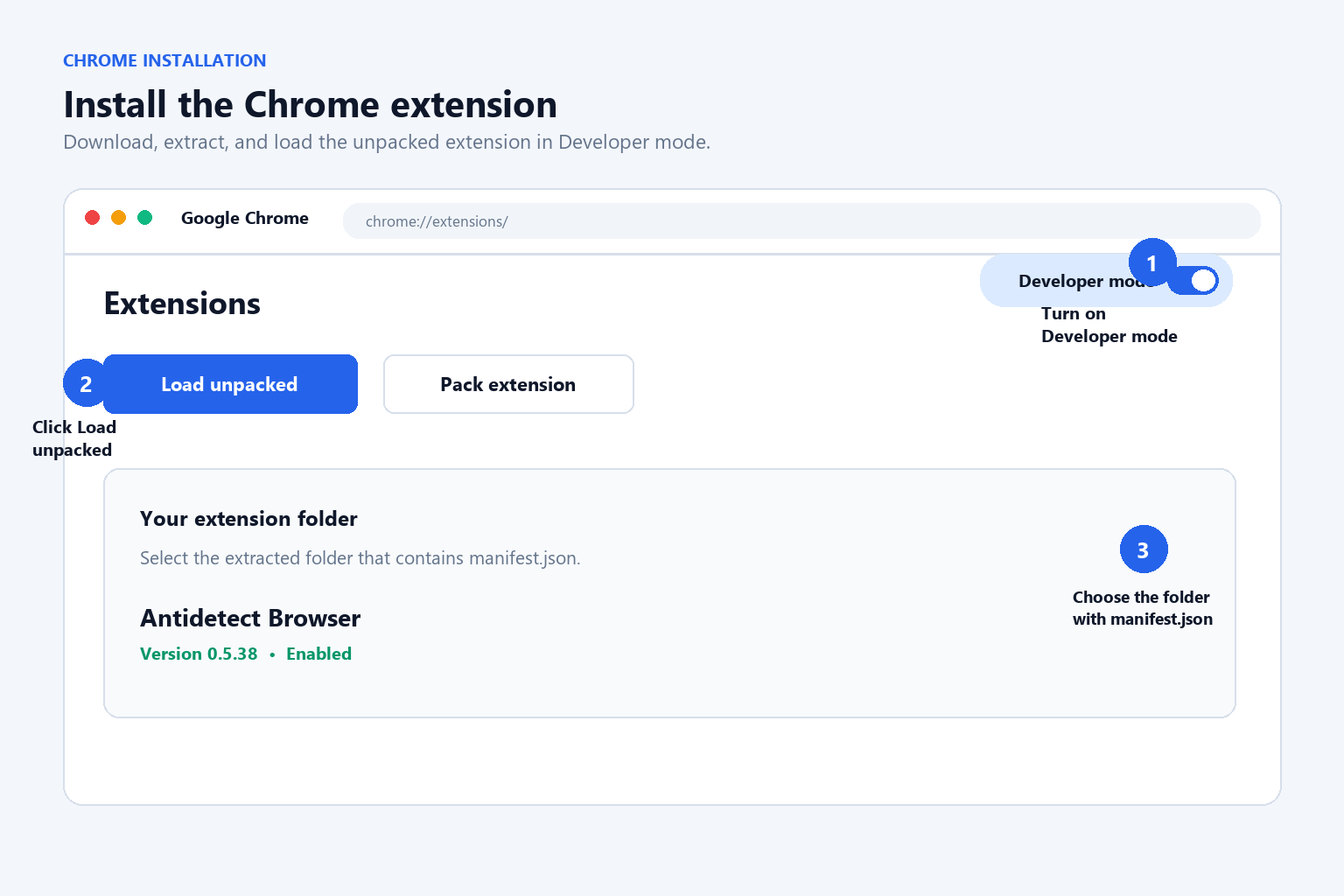
- Download the Chrome ZIP package and extract it to a permanent local folder.
- Open
chrome://extensions/. - Enable Developer mode.
- Click Load unpacked.
- Select the extracted folder containing
manifest.json. - Pin A+ Studio from Chrome’s Extensions menu, then reload the Amazon product page.
Chrome does not install a developer ZIP directly. Extract the ZIP before selecting Load unpacked.
Install Amazon A+ Studio in Mozilla Firefox
- Download the Firefox ZIP package and extract it to a local folder.
- Open
about:debugging#/runtime/this-firefox. - Click Load Temporary Add-on….
- Select the extracted
manifest.json. - Open A+ Studio from the Firefox toolbar and reload the Amazon product page.
This is an unpacked development build. A Firefox temporary add-on is removed when Firefox restarts and must then be loaded again. Permanent distribution requires a signed Firefox Add-ons package.
Supported Amazon marketplaces
The current extension manifest supports Amazon.com, Amazon.co.uk, Amazon.de, Amazon.fr, Amazon.it, Amazon.es, Amazon.ca, Amazon.com.au, and Amazon.co.jp product pages. Capture results depend on the visible page layout and available A+ modules.
Configure an AI provider
- Open the A+ Studio workspace and go to AI settings.
- Enter the base URL, API key, and analysis model for OpenAI or a compatible provider.
- Save the settings and test the connection.
- Select an available image-capable model in Prompt Studio.
Provider availability, pricing, model behavior, and data retention are controlled by the provider you choose. Keep API keys private and never include them in screenshots, public posts, or support messages.
Frequently asked questions
Is Amazon A+ Studio an official Amazon extension?
No. Amazon A+ Studio is an independent workflow tool and is not affiliated with or endorsed by Amazon.
Why does the extension not appear on an Amazon page?
Confirm that the extension is enabled, use a supported marketplace, and reload the product page after installation. The selected extension folder must contain the top-level manifest.json.
Why is the AI model list empty?
Check the provider base URL, API key, model access, and compatibility with the expected models endpoint. Save the settings and test the connection again.
Where is project data stored?
Provider settings and optional project data are stored in browser extension storage. Prompts, reference images, and generation parameters are sent to the AI endpoint configured by the user.
Privacy, security, and further guidance
Review your chosen provider’s privacy policy before sending confidential product information. API keys are masked in the interface and should remain private. For a deeper walkthrough of the research and production process, read the Amazon A+ Studio user guide.