Best Codex Skills to Install: How to Turn AI Prompts Into Reusable Workflows
Codex skills are reusable AI workflows that package prompts, task steps, output formats, and best practices into something you can install and call whenever a similar task comes up.
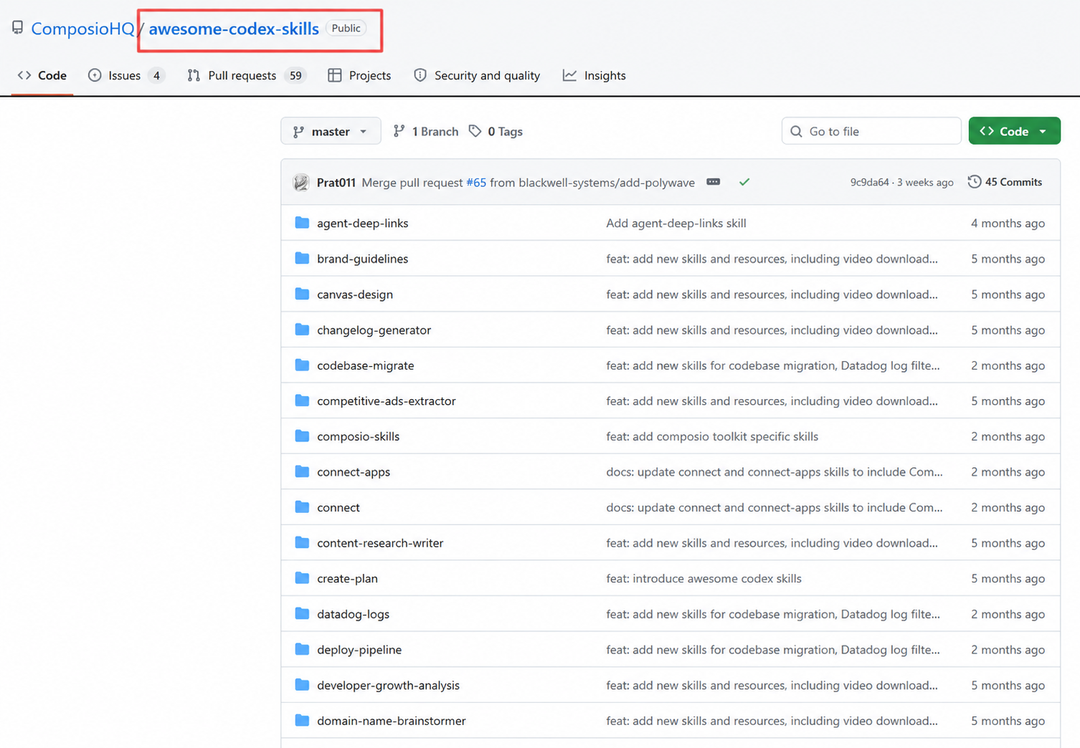
A while ago, I came across a Codex skills collection called awesome-codex-skills. It is also compatible with Claude Code, Gemini CLI (something odd slipped in there), and several other tools. At first, I thought it was just an ordinary list of AI tools. But after opening it, I found that the content was actually very practical. It has already organized a large number of skills by real-world use cases. It divides the skills Codex can use into several major categories: development and code tools, productivity and collaboration, communication and writing, data and analysis, metadata, and utilities. Most importantly, it also explains exactly how to install and use these skills in Codex.
What exactly are skills?
In one simple sentence: skills are ready-made abilities built specifically for AI. Once we install them, we can use them directly. They are also completely open source and free, which is pretty sweet.
If most of the AI content we used before was about writing prompts, then the process usually looked like this: if you wanted to analyze an industry, you wrote an industry-analysis prompt. If you wanted to research competitors, you wrote a competitor-analysis prompt. If you wanted to generate a document, you wrote yet another new prompt. Every time, you started from scratch.
A skill is more like a complete workflow that has already been organized for you. It is not just a prompt. It also includes task breakdown, execution steps, output format, and best practices for specific scenarios.
For example, it can first analyze Git history, then identify hot files, risk areas, and modules that are likely to cause problems, and finally organize everything into a report.
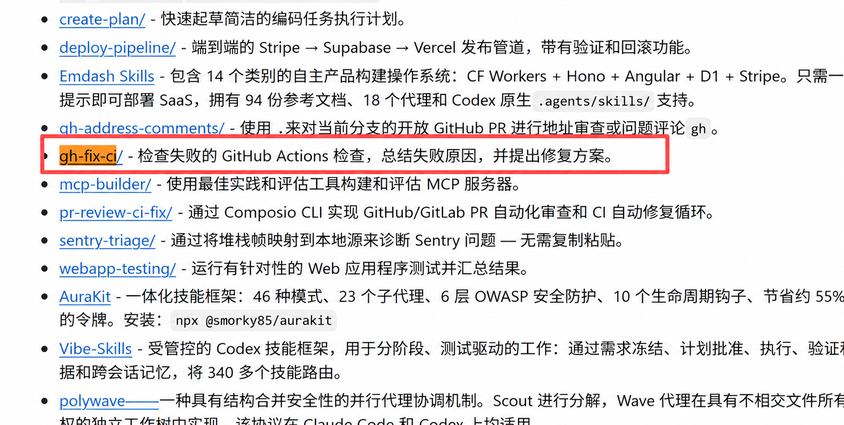
For example: gh-fix-ci.
It does not simply check the error message. It can follow the GitHub Actions troubleshooting process and turn log analysis, error location, and repair suggestions into a complete workflow.
Another example is meeting-insights-analyzer. After you input meeting notes, it helps you extract topics, risks, and follow-up action items instead of simply generating a summary.
The more I looked at these skills, the more they felt like SOPs inside a team. Many things require research, trial and error, and repeated revisions the first time you do them. But once a process works, someone can document the experience and turn it into a reusable skill. The next time a similar task comes up, you do not need to think through everything again. You can just call the skill directly.
On the surface, it looks like more than a thousand skills. In reality, it is the accumulated workflows of many developers, product managers, operations people, and content creators, all distilled from things they repeatedly do.
The categories I recommend looking at first
The repository contains more than a thousand skills. If you are seeing it for the first time, I do not recommend going through them one by one. The best approach is to start from your own work scenarios. Right now, I personally care most about the following categories.
Data and analysis
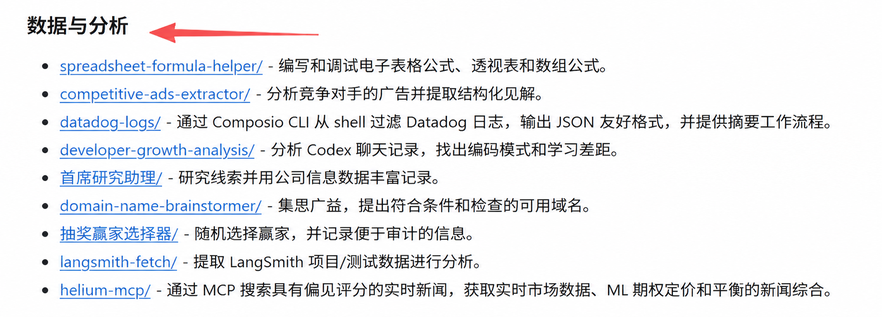
This was the first category I looked at, because so much of everyday work is related to data. Ad data, operations data, competitor data, SEO data, and keyword data all eventually come back to spreadsheets and analysis. A few skills in this category seem especially interesting to me:
- spreadsheet-formula-helper
- competitive-ads-extractor
- developer-growth-analysis
- domain-name-brainstormer
I especially want to test competitive-ads-extractor separately later. If it can automatically break down the structure of Facebook, Instagram, or other platform ads, it would be very useful for both content teams and ad teams.
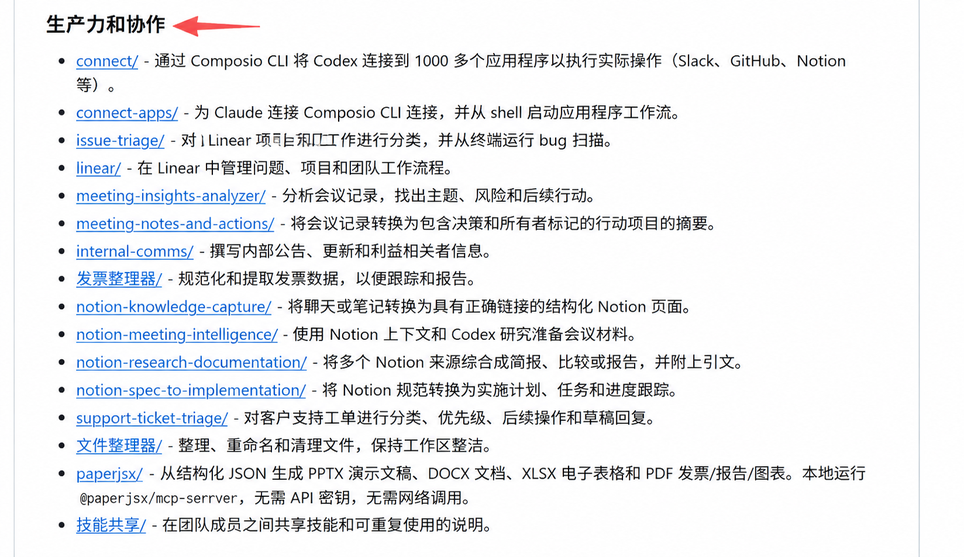
Productivity and collaboration
This category exceeded my expectations a bit. I originally thought it would mostly be project-management tools. But after browsing through it, I found that many of the skills solve problems you actually run into at work. For example:
- meeting-insights-analyzer
- notion-research-documentation
- support-ticket-triage
- paperjsx
paperjsx is especially interesting. This skill can generate PPT, Word, Excel, and PDF files directly from structured data. For people who often make presentations, proposals, and reports, it is definitely worth looking at.
Development and code tools
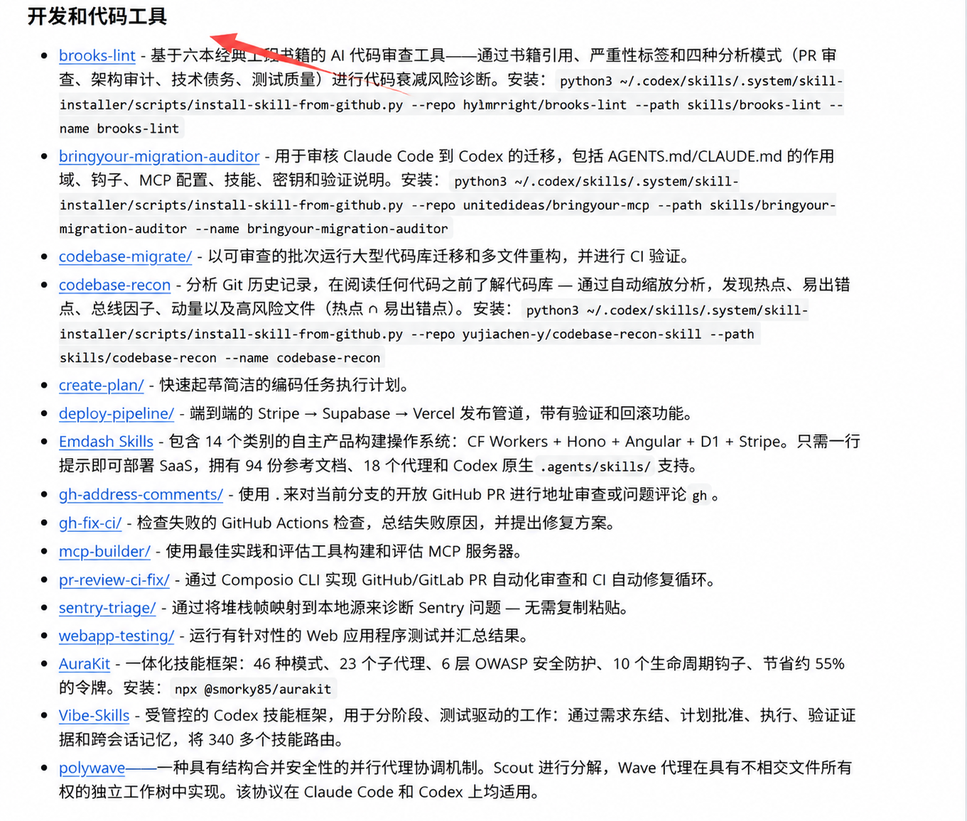
This is the largest category in the entire repository. If you usually use Codex to write code, you will probably use many of these. For example:
- codebase-recon
- gh-fix-ci
- webapp-testing
- codebase-migrate
In the past, when taking over an unfamiliar project, you often had to slowly read through the code yourself. The idea behind a skill like codebase-recon is very interesting. It first analyzes the codebase, then tells you which files matter most, which areas carry the highest risk, and which modules change most frequently. For anyone just taking over a project, this saves a lot of time.
How to install
This part is divided into three sections:
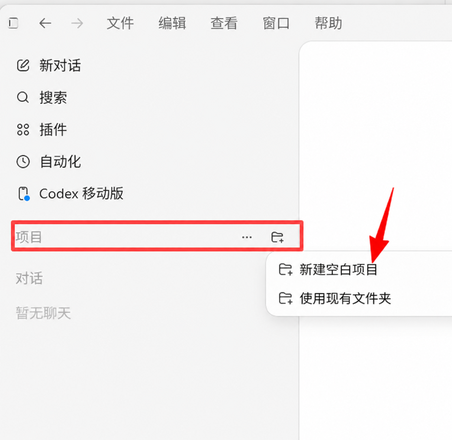
- Open Codex and create a new project.
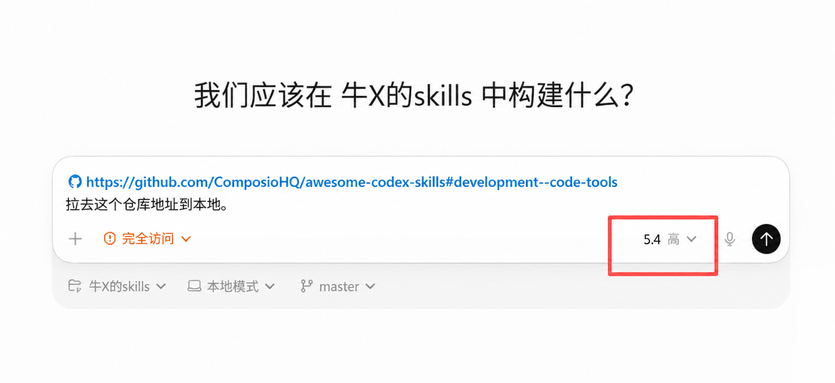
- Have Codex pull the project and install the skills.
- Use the skills.
Open Codex — Projects — Create a blank project.
Name the new skills project: Badass Skills.
For the model, you can choose 5.4 Medium, because this is just a simple pull operation and does not require a very high-intelligence model. If anything else needs to be installed along the way, you can just ask Codex to handle it. Say it in plain language; you do not need much technical knowledge. Do not worry about it. Codex will take care of it automatically.
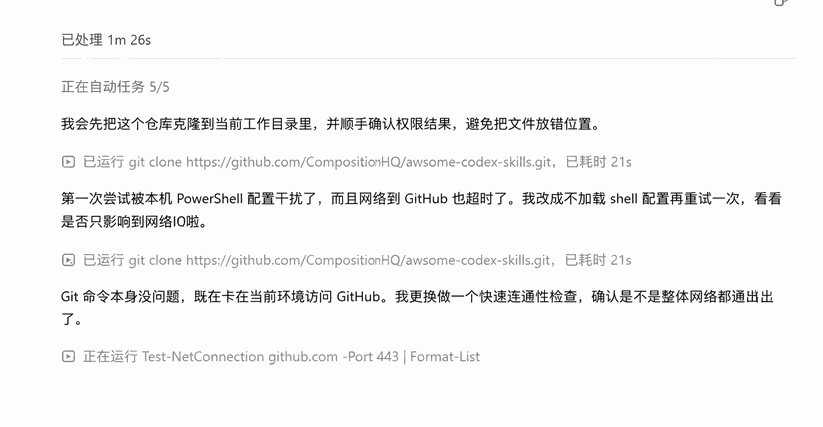
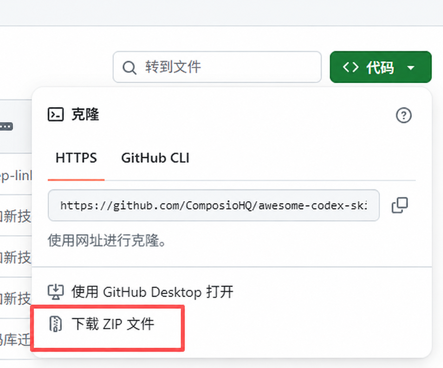
I ran into an issue during installation: Codex just could not download it no matter what. In that situation, you can go directly to the repository, choose Code — Download ZIP, and then give all the files to Codex. That works too.
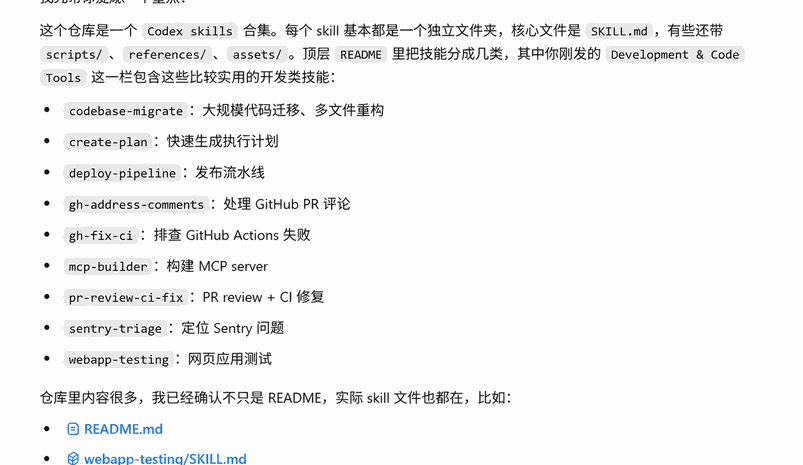
After installation, the content looks like this:

Usage
There is a skills section in the repository called Development & Code Tools.
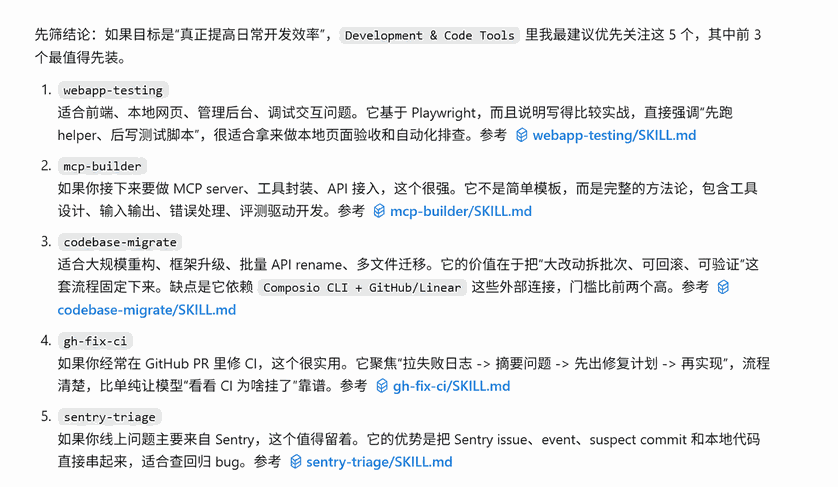
You only need to say something like: "Help me filter the skills worth installing. I work in XXXXX." The skill can then automatically identify which content is worth installing.
If you do not provide any context, the default skills look like the image below.
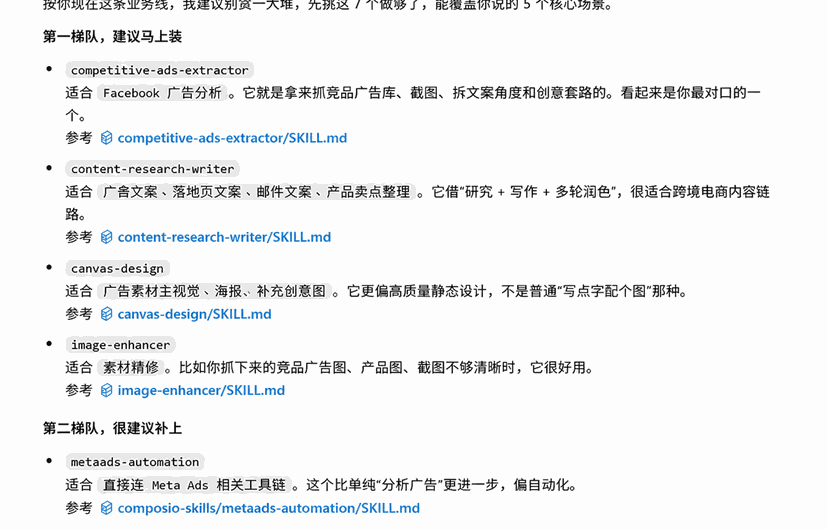
For example, in my case, I said: "Okay, I work in cross-border e-commerce. I mainly need to analyze Facebook ads, write copy, create creatives, choose products, and research landing pages. What should I install?"
Codex will directly tell me what needs to be installed.
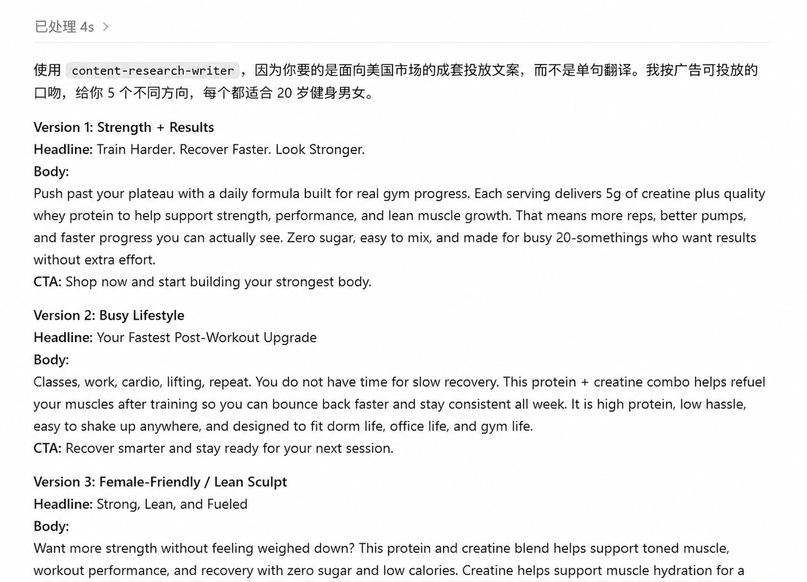
After installation, using them is simple: just copy the name of the skill. You do not need to add any symbols. The AI will understand what you mean, and then it will automatically handle the task for you. My prompt was:
Other skills work the same way. The main logic is: filter skills, install skills, use skills. If you have the ability, you can also modify and optimize the relevant skills yourself.
The same logic applies to optimization. Just tell Codex: "I want to modify XXXX. The direction of the change is xxxxxxxx." Simple and clear.


Final thoughts
I have not finished going through the entire repository yet. For many skills, I have only read the descriptions and have not truly installed them into my own workflow. But one thing left a strong impression on me.
In the past, most of the things I saved were tools. I would see a new tool, register for it, bookmark it, and then let it collect dust in my browser bookmarks.
Now, more and more of what I save are workflows.
Even when using Codex, some people start from a blank page every time, while others have already organized their common processes into skills. Industry research has its own skill. Ad analysis has its own skill. Article writing has its own skill. Website building has its own skill.
Many repetitive tasks may take several hours the first time you do them. But once they are organized, they may take only a few minutes in the future.
Over the next few days, I plan to install and test these skills one by one. If I find any that are truly worth keeping long term, I will write a few separate hands-on notes about them.
If you are also using Codex, this repository is worth bookmarking. You might find a few workflows in it that fit your own work.